最強!!パスワードマネージャー
パスワードマネージャー、お世話になっております。だって、セキュリティの強いパスワードなんて、覚えるの絶対無理ですから!!
- Tech Tip: Password Manager Can Simplify Logins, Improve Security
- 技術のヒント: パスワードマネージャーはログインを簡素化し、セキュリティを向上させることができる(和訳)
Tech Tip: Password Manager Can Simplify Logins, Improve Security
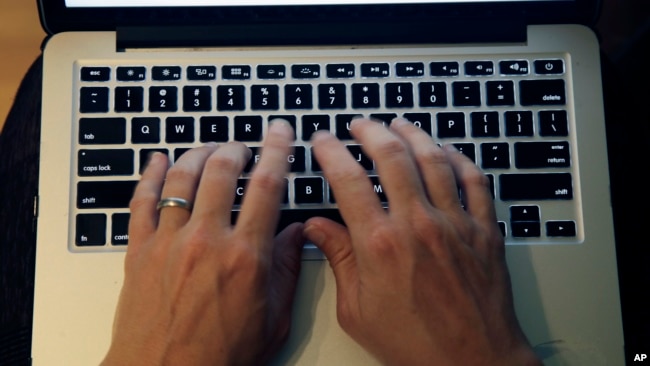
For most of us, using – and trying to remember – a collection of passwords is just a normal part of our digital lives. But it seems like the number of passwords we need for online activities just gets bigger and bigger.
Some passwords – especially for work-related systems – must be changed often. That makes passwords even harder to create and remember.
These difficulties can lead some people to reuse passwords to help simplify the process. But most security experts warn against this. Reusing passwords can make it easier for internet attackers, or hackers, to digitally seize personal accounts.
One of the most suggested methods for effectively dealing with passwords is to employ a separate product called a password manager. These tools are not new. You have probably already heard of such tools and might have even tried one.
Here are some tips for deciding whether a password manager might be right for you.
How does a password manager work?
The general idea behind password managers is simple: Your passwords are stored securely in a digital vault. When you need to use a particular online service, the manager automatically enters login details and password fields for you.
The U.S. government’s Cybersecurity & Infrastructure Security Agency notes, “When we use a password manager, we only need to remember one strong password – the one for the password manager itself.”
Most password managers have a smartphone service, or app, that works with internet browsers and other apps. This means they can be set to open with a fingerprint or face identification. If on a computer, you can also sign into your password vault through a browser tool, called a plug-in, or by going to a website.
A good password manager should be able to create complex passwords using letters, numbers and special characters when setting up a new account. And, it should also recognize that you are signing into an online service for the first time and ask if you want to save the information you have entered.
Password managers can also protect against so-called phishing attempts. These usually appear as emails seeking to trick users into clicking onto a link to a false website designed to capture login details. A password manager can prevent such details from automatically being filling in if the web address is not the same as the one linked to the saved password.
Most password managers can store other information as well, such as bank and credit card PINs. Many also support passkeys, a new technology that companies like Google have launched as a safer method than passwords.
How do I choose the best one?
There are many different password managers on the market. Some of the best-known systems include 1Password, Bitwarden, Dashlane, Bitdefender, Nordpass, Keeper and Keepass.
One of the best ways to choose the right manager is to look at online reviews based on professional testing and ratings. Britain’s National Cyber Security Centre has also established a buyer’s guide to help users choose the right password manager.
Most services have free and paid versions. The free offerings come with restrictions, such as permitting only one device to be signed in at a time or limiting the number of passwords to store.
Top-rated managers work across different devices and services, with apps for Windows and Mac computers, as well as iOS and Android devices. And plug-ins can be downloaded for browsers like Chrome, Safari, Firefox, Edge, Brave and Opera.
Apple also has its own Keychain service for Macs and iOS devices.
How secure are they?
Good password managers use strong encryption methods that aim to prevent any other parties from seeing your data.
Pieter Arntz is a security researcher at California-based cybersecurity company Malwarebytes. He told The Associated Press that many password managers use the most secure kind of encryption available.
Arntz noted this kind of encryption can protect users even when their computers, devices or password managers are hacked. This is because encryption ensures the saved passwords are stored in an encoded state. This means the attacker would need to know the main password in order to read any of the saved passwords.
Words in This Story
manager – n. something or someone that controls a system or operation
vault – n. a very secure location where valuable things are kept
particular – adj. used to describe one thing or person and not others
automatic – adj. working by itself with little human control
phishing – n. the practice of sending emails to people to trick them into giving personal information
character – n. a letter, sign or number that is used in writing or printing
review – n. a report in a newspaper, magazine or on the internet that gives an opinion about a new product or thing
encryption – n. the changing of information from one form to another, especially to hide its meaning
encode – v. to change something into a system for sending messages secretly, or to represent complex information in a simple or short way
技術のヒント: パスワードマネージャーはログインを簡素化し、セキュリティを向上させることができる(和訳)
私たちの多くにとって、パスワードのコレクションを使うこと、そして覚えようとすることは、デジタルライフのごく普通のことです。しかし、オンラインでの活動に必要なパスワードの数は、どんどん増えているように思えます。
パスワードの中には、特に仕事に関連するシステムの場合、頻繁に変更しなければならないものもあります。そのため、パスワードを作るのも覚えるのもさらに難しくなっています。
こうした難しさから、プロセスを簡略化するためにパスワードを再利用する人もいます。しかし、ほとんどのセキュリティ専門家は、これに対して警告を発しています。パスワードの再利用は、インターネット攻撃者、ハッカーが個人アカウントをデジタル的に押収することを容易にする可能性があります。
パスワードを効果的に扱う方法として最も提案されているのは、パスワード・マネージャーと呼ばれる別の製品を採用することです。こうしたツールは新しいものではありません。このようなツールのことはすでに耳にしたことがあるでしょうし、試したことがあるかもしれません。
ここでは、パスワードマネージャーが自分に合っているかどうかを判断するためのヒントをいくつか紹介します。
パスワードマネージャーの仕組みは?
パスワードマネージャーの一般的な考え方はシンプルです: パスワードはデジタル保管庫vaultに安全に保管されます。あなたが特定のオンラインサービスを使用する必要があるとき、マネージャーは自動的にあなたのためにログインの詳細とパスワードフィールドを入力します。
米国政府のサイバーセキュリティ&インフラストラクチャ・セキュリティ・エージェンシーは、「パスワード・マネージャーを使う場合、覚えておく必要があるのは強力なパスワード1つ–パスワード・マネージャーのパスワードだけです」と指摘してします。
ほとんどのパスワード・マネージャーは、インターネット・ブラウザや他のアプリと連動するスマートフォン・サービス、アプリを持っています。つまり、指紋認証や顔認証で開くように設定できるのです。パソコンであれば、プラグインと呼ばれるブラウザツールやウェブサイトにアクセスしてパスワード保管庫にサインインすることもできます。
優れたパスワード・マネージャーは、新しいアカウントを設定する際に、文字、数字、特殊文字を使った複雑なパスワードを作成できるはずです。また、あなたがオンラインサービスに初めてサインインしていることを認識し、入力した情報を保存するかどうかを尋ねるはずです。
パスワード・マネージャーは、いわゆるフィッシング詐欺からも保護することができます。フィッシングは通常、ユーザーを騙して偽のウェブサイトへのリンクをクリックさせ、ログイン情報を取得しようとするメールとして現れます。パスワード・マネージャーは、保存されたパスワードにリンクされているウェブ・アドレスと同じでない場合、そのような詳細情報が自動的に入力されるのを防ぐことができます。
ほとんどのパスワード・マネージャーは、銀行やクレジットカードの暗証番号など、他の情報も保存できます。また、グーグルのような企業がパスワードよりも安全な方法として打ち出した新技術、パスキーに対応しているものも多いあります。
どうやって最適なものを選ぶ?
市場には様々なパスワード・マネージャーがあります。最も有名なシステムには、1Password、Bitwarden、Dashlane、Bitdefender、Nordpass、Keeper、Keepassなどがあります。
適切なマネージャーを選ぶ最良の方法の一つは、専門家のテストや評価に基づいたオンラインレビューを見ることです。イギリスのNational Cyber Security Centreも、ユーザーが正しいパスワード・マネージャーを選ぶためのバイヤーズ・ガイドを設けています。
ほとんどのサービスには無料版と有料版があります。無料のものには、一度にサインインできるデバイスが1つだけだったり、保存できるパスワードの数が限られていたりといった制限があります。
トップクラスのマネージャーは、WindowsやMacコンピュータ、iOSやAndroidデバイス用のアプリがあり、異なるデバイスやサービス間で動作します。また、Chrome、Safari、Firefox、Edge、Brave、Operaなどのブラウザ用のプラグインをダウンロードすることもできます。
アップルはまた、MacやiOSデバイス向けに独自のKeychainサービスも提供しています。
安全性はどうなのか?
優れたパスワード・マネージャーは強力な暗号化方式encryption methodsを採用していて、他者からデータを見られることを防いでいます。
ピーテル・アルンツ氏は、カリフォルニアを拠点とするサイバーセキュリティ企業Malwarebytesのセキュリティ研究者です。彼はAP通信に、多くのパスワード・マネージャーは、利用可能な最も安全な種類の暗号化を使用していると言います。
アルンツ氏は、この種の暗号化は、コンピュータやデバイス、パスワード・マネージャーがハッキングされた場合でもユーザーを保護できると指摘しています。なぜならば 暗号化によって、保存されたパスワードは確実に暗号化された状態で保存されるからです。つまり、攻撃者が保存されたパスワードを読み取るには、メインのパスワードを知っている必要があるということです。
